An independent native PC port SourceNext PC → Windows
DINOCRISIS 2.
Back to the jungle. Built to survive on PC.
A native recreation of the SourceNext PC release, with upgraded artwork, improved character models and restored opening gameplay.
Recovered. Rebuilt. Refined.
The jungle is familiar. The code beneath it is new.
A native recreation researched from the Japanese SourceNext PC release. Original rooms, cameras, animations, audio and scripts are brought into a readable new codebase, with optional visual upgrades.
The opening is playable and recovery continues. This is a development milestone, with the full campaign still ahead.
More detail in every dark corner.
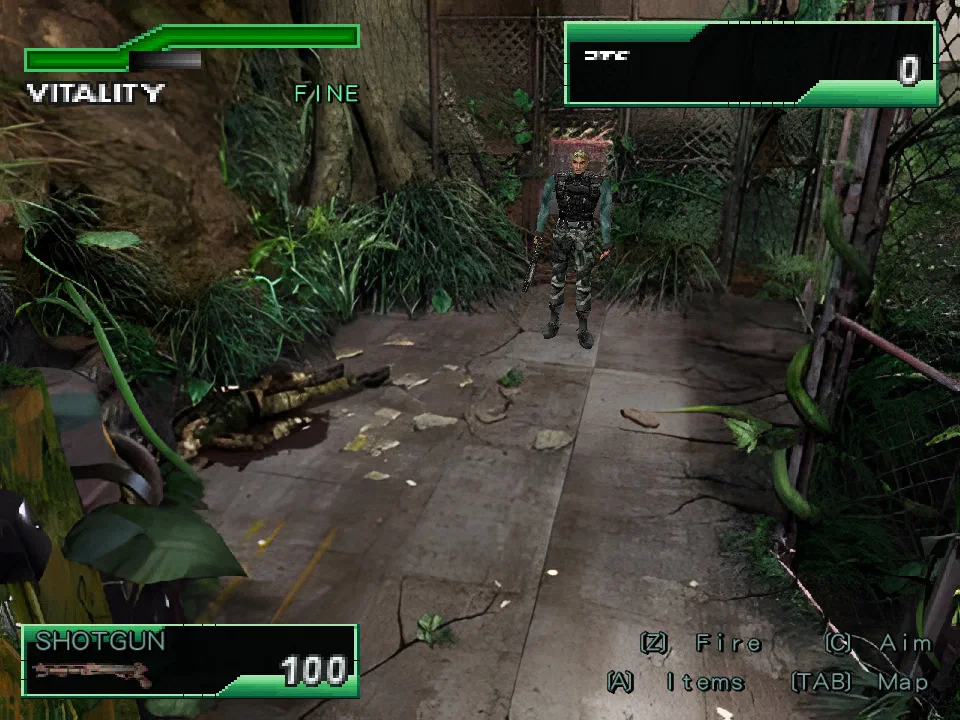
Optional prepared 4× images give the pre-rendered scenery a cleaner presentation while keeping the original cameras, framing and foreground silhouettes.
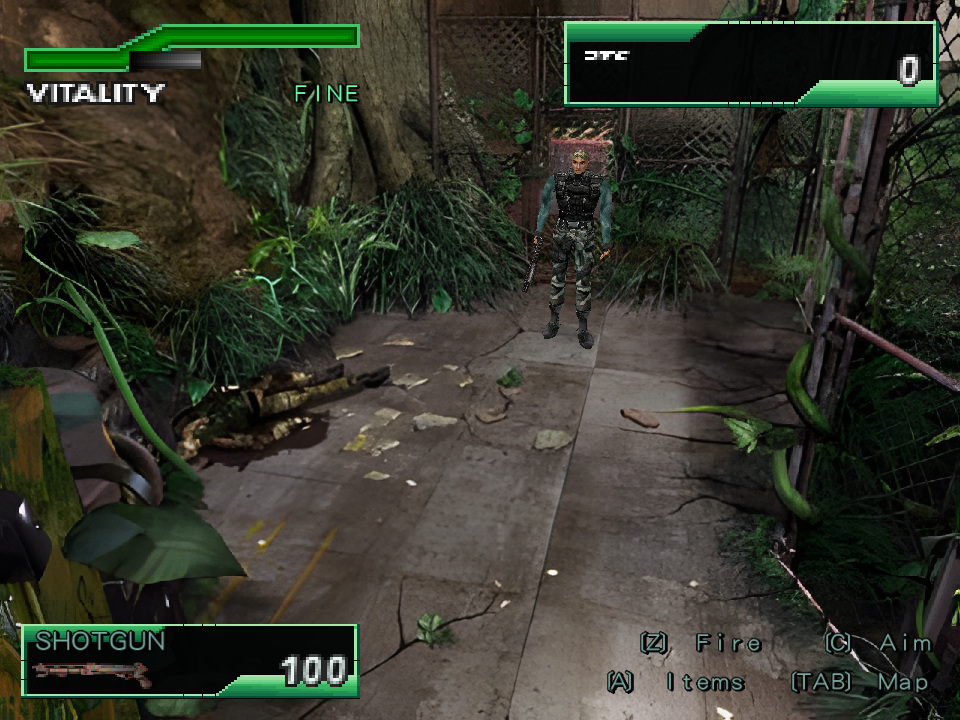
- Prepared camera backgrounds at 1280×960 from the original 320×240 artwork, including previously omitted authored camera views.
- AI Upscaling also supports character and raptor atlases, title artwork, option palettes and the Capcom logo.
- Foreground masks retain their original silhouettes while drawing detail from the upscaled camera.
- Original camera placement, collision, sprite dimensions and gameplay are retained.
- Invalid or missing prepared images fall back to the disc artwork.
The static pack is prepared with Real-ESRGAN before play. Runtime loads the PNGs without running inference; movies retain their original resolution. Pack availability will be documented with the public release.
Same image. Four times the pixels.
See what the artwork pack changes.
Drag the divider, or focus it and use the arrow keys, to compare the original artwork with the prepared 4× image.
The title screen
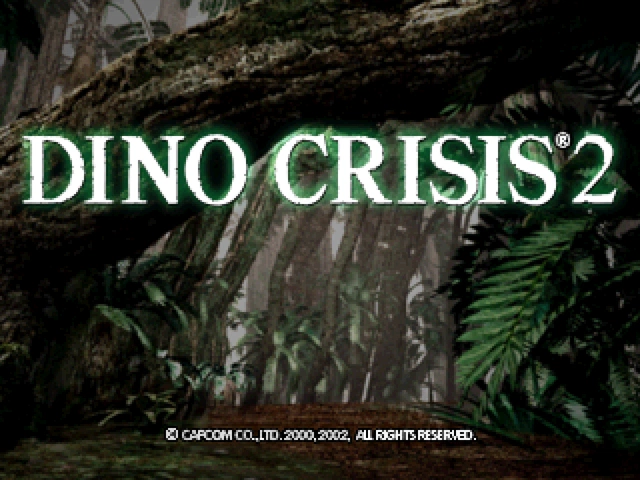
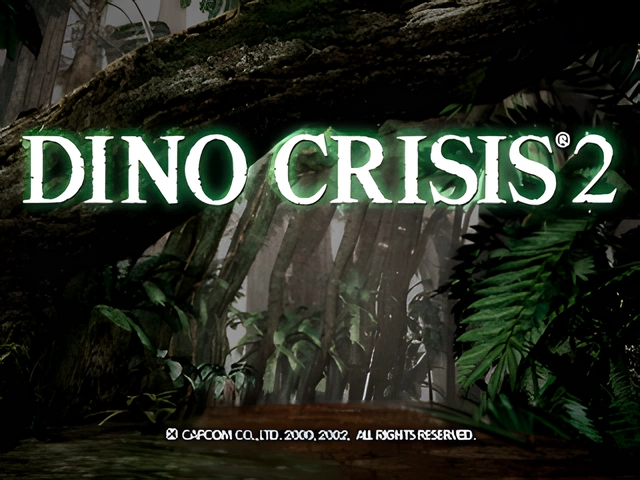
The original is exported from the disc by the port's image tools; the upscaled image is the file the runtime loads from the prepared pack. Composition, framing and the logo are unchanged.
Familiar faces. A finer silhouette.
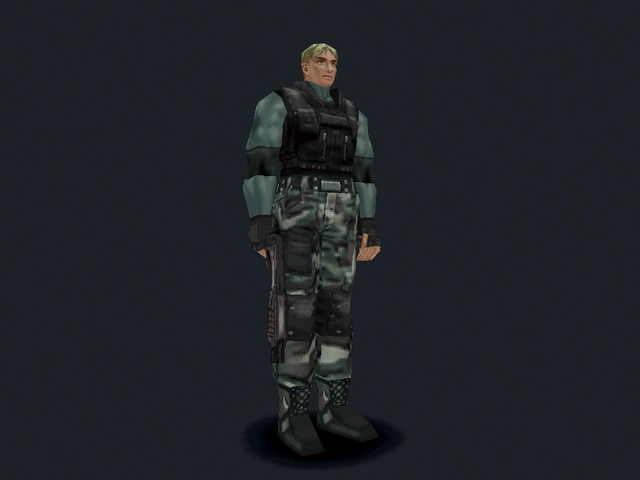
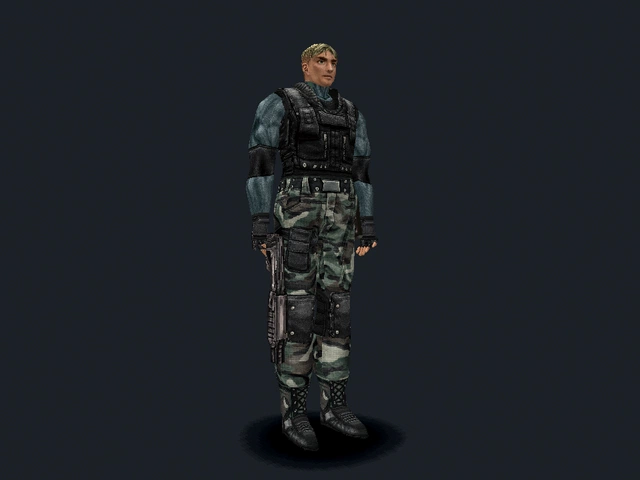
Independent Improved Dylan Model and Improved Regina Model options refine the original meshes, with smoothly shaded surfaces, detailed hands and shaped footwear.
- Dylan gains a rounded head and body, separate curled fingers, refined boots and continuous anatomical texture charts.
- Regina gains a smoothly shaded body, rounded fingers and refined boots that retain her original tall shafts, outfit and proportions.
- Remastered character atlases add surface detail while keeping the characters recognisable.
- Original skeletons, animation timing, scale and scripted weapon attachments are retained.
- The character options also select upgraded resident actors during the opening conversation; toggling off restores the original mesh.
Regina's upgraded cutscene model does not mean her full playable campaign or stun-gun behaviour has been restored.
Same skeleton. One setting.
See what the model upgrades change.
Drag the divider, or focus it and use the arrow keys, to compare each original character with its improved model.
Dylan
Regina
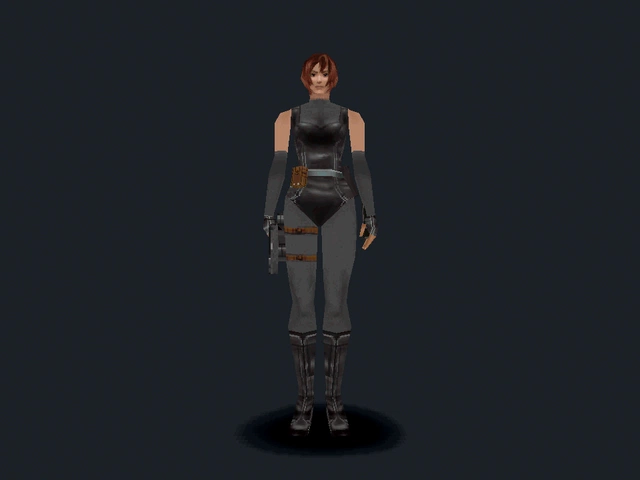
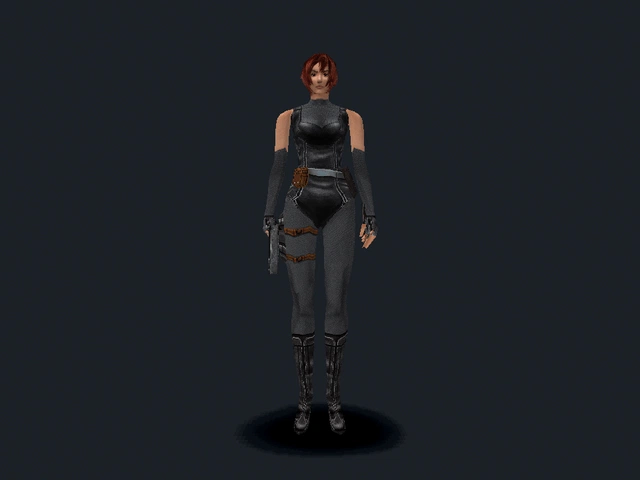
Actual captures from the port's model verification mode. Each pair uses the same animation frame, camera and lighting; only the Improved Dylan or Improved Regina setting changes.
The opening comes alive again.
Dylan can explore the first jungle rooms, aim and fire, fight raptors, interact with pickups and use inventory items. Original room data supplies the cameras, terrain, walls and authored encounter regions.
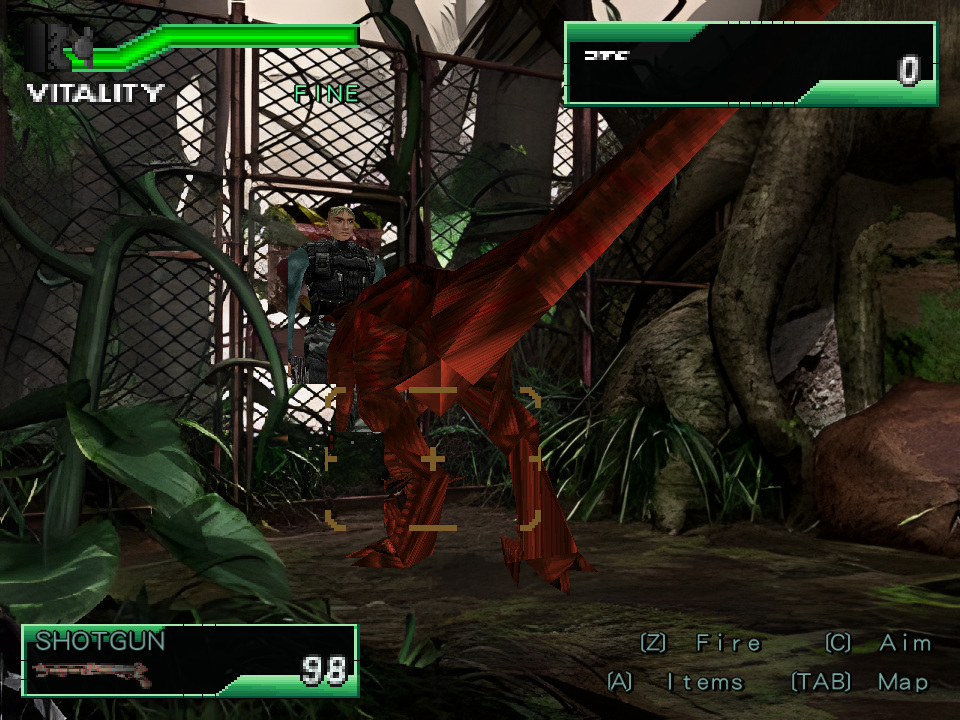
- Walking, running, turning, aiming and firing with original character meshes and animation clips.
- Flat and sloped terrain, staircase traversal, camera regions and action-triggered climbing at authored ledges.
- Connected opening-room routes with verified arrivals and persistent pickups, health, ammunition and cleared-room state.
- Machete cuts clear the opening exit's vines, with shared door flags preserved through saves.
- Raptor encounters use authored spawn regions, timing, quotas and difficulty variants; kills award Extinction Points.
- Floor-projected player and raptor shadows, depth-sorted foregrounds, pickups and muzzle flashes.
The full campaign and original enemy AI are unfinished. Unsupported routes report their limitations rather than promising complete progression.
The voices, the cameras, the atmosphere.
Original media and recovered scene scripts restore the title sequence, opening movie, conversation and room ambience.
- Original title and opening movies, with MPEG audio and original presentation timing.
- Original room music layers, shotgun and confirmation samples, and supported resident script cues.
- Opening scene actors, attached meshes, authored camera changes, timed waits and screen transitions.
- Original WAV dialogue with pause, saved playback position and completion timing.
- A skip hint for the opening conversation; skipping still lets the script complete its state and cleanup.
- Original-font environmental messages, dialogue pages, choices and saved countdowns.
Some effects remain synthesized. Further story controllers, animation interpolation, blending and additional effects still need recovery.
Your controls. The original view.
Native keyboard and gamepad input, with configurable keyboard actions, controller hints and display settings for modern Windows systems.
- Nine rebindable gameplay keyboard actions, including aim, fire, target, inventory, map, pause, run and interaction.
- Duplicate key assignments swap bindings; Apply, Cancel and Default keep changes predictable.
- Gamepad movement, aiming, firing, interaction, inventory and map controls, with rumble on supported devices.
- Contextual prompts show the configured keys or active controller controls.
- Monitor selection, window resolutions from 640×480 through 1920×1440, and fullscreen on the selected display.
- The original 4:3 image is letterboxed in fullscreen; F11 toggles fullscreen and saves the choice.
The stored A/B/C control presets and step-control setting are not claims of complete original input parity. Gameplay currently uses the native bindings documented here.
A little more room to breathe.
A native HUD, inventory, map and pause menu connect the recovered gameplay, with local saves and independently configurable visual upgrades.
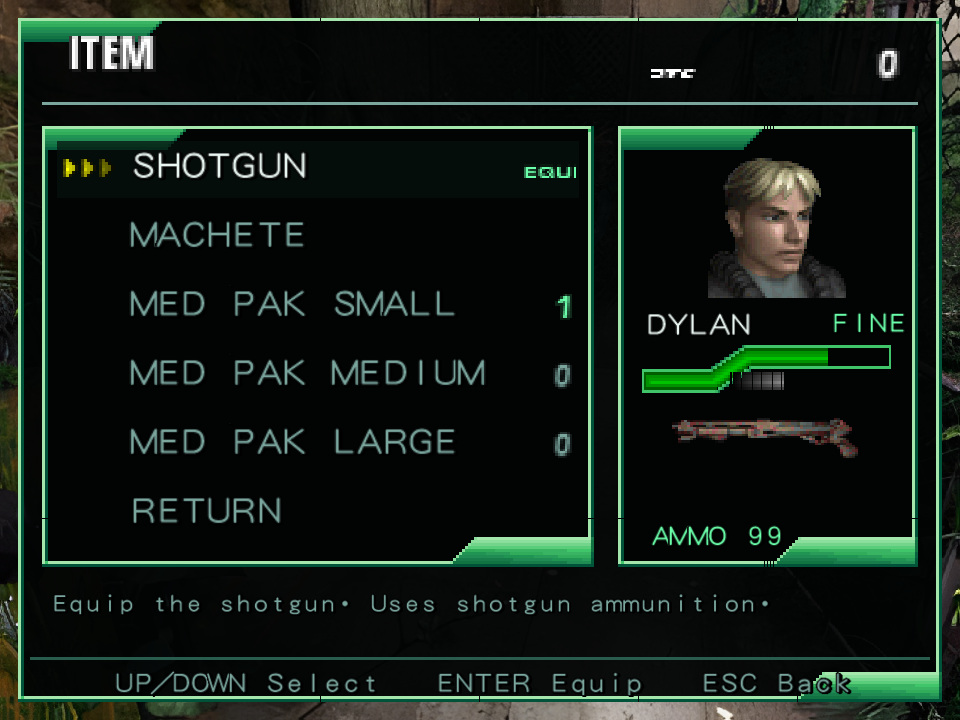
- Segmented Fine/Caution/Danger health gauge, Extinction Points, weapon icon and live ammunition.
- Inventory quantities, equipped weapons, item previews, descriptions and Med Pak healing.
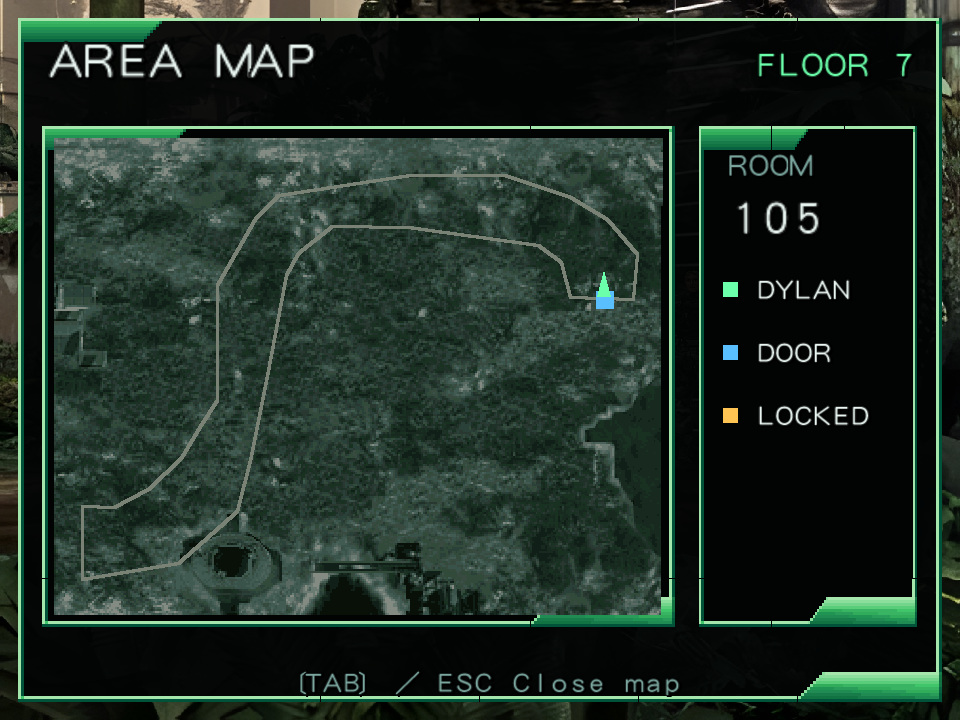
- A room map showing the current floor, player heading, doors and locked routes.
- Pause-menu Save/Load, title Load Game, game-over loading and F5/F9 shortcuts.
- Versioned native saves preserve room state, enemies, collected items, live scripts, dialogue and timers, with integrity checks before loading.
- All Visual Upgrades is a master switch; Ctrl+G compares original and enhanced visuals during play while preserving the room and individual settings.
Native saves are separate from the original PC save format. The HUD, inventory and map are native layouts using original font and common artwork.
See it on the screen.
Captured directly from the native build. These are development screenshots; the build continues to evolve.
The next chapter
A home for the first release.
The port is in development. A public build, its requirements and release notes will appear here when it is ready.
Public release coming soon
Windows PC · Your own Japanese SourceNext PC disc image required
When the build lands
- 01
Extract the release
Keep the executable and supplied runtime files together in a writable folder. Any optional artwork packs will have their own release instructions.
- 02
Select your disc image
Launch the port and choose your Japanese SourceNext PC disc image. Assets are read and decoded directly from the disc image.
- 03
Choose your experience
Set your display, keyboard bindings and visual options. Native progress can be saved from Pause, or with F5, and loaded with F9.
Development snapshot / 4 October 2026
One room, one system, one step closer.
The opening jungle, supported room routes, raptor encounters, inventory, map, pause and native saves are connected. Original story scripts now drive the opening conversation, camera changes, speech and control release.
Full campaign progression, remaining story handlers, puzzle and key-item logic, shops, other playable characters, weapons and enemy controllers remain incomplete. Combat balance, parts of the UI and sound effects still use native approximations. Regression checks cover specific recovered behaviours, rather than complete original-game parity.
Recent work
Character refinement
Independent Dylan and Regina upgrades, remastered atlases, refined UV charts, hands and boots, plus original-model switching for scene actors.
Opening scenes and gameplay services
Authored opening control release, original speech and transitions, room encounters, native HUD and inventory, map, pause and state-preserving saves.
Before you enter
A few useful answers.
Can I play the whole game?
Not yet. The opening jungle and supported room routes are playable, but full campaign progression, remaining puzzles, shops, playable characters, weapons and enemy controllers are still being recovered.
Which disc image do I need?
Your own Japanese SourceNext PC release of Dino Crisis 2. The runtime supports the reference disc's raw 2352-byte Mode 1 sectors as well as conventional 2048-byte ISO sectors. Other editions are not currently promised.
Do I need the original installer or developer tools?
The native runtime reads and decodes the disc directly. Players do not need the original installer or executable, Python or FFmpeg. Preparing an optional AI artwork pack is a separate step; the public release will explain which packs are available.
Can I turn off the upgrades?
Yes. Improved Dylan, Improved Regina and AI Upscaling have separate settings. All Visual Upgrades preserves those choices, and Ctrl+G toggles the master during play. The original images are used when the upgrade pack is unavailable.
Does the game become widescreen?
It keeps the original 4:3 framing. Fullscreen uses your monitor's desktop mode and letterboxes the image, preserving the authored cameras and background composition.
Can I use an original PC save?
Native saves use a separate versioned format. They are not the original PC game's save format. Use Pause / Save Game or F5; load from the title, pause or game-over menus, or F9.
Is this official?
This is an independent, unofficial recreation by Panos Karabelas, not affiliated with or endorsed by CAPCOM. Dino Crisis 2 and the original game artwork belong to their respective owners.
Help improve the port
Found a bug?
Tell me what happened in Dino Crisis 2, what you expected, and how to reproduce it.
Your email is optional and lets me reply.